Skip to content

Features

Eight modules, arranged in the order of the day.

A lead arrives, a quote goes out, a job opens, it boards a trip, it is delivered, it is collected and it shows up in the ledger. Every module has a working screen behind it.

Leads

Every request — phone, website, WhatsApp or assistant — lands in the same list. Who called, what they want and where it stands, on one screen.

  • List and detail side by side; status changes in one click and every action is logged.
  • New leads appear live — no need to refresh the page.
  • Returning customers are matched by phone number, so no duplicate card is created.
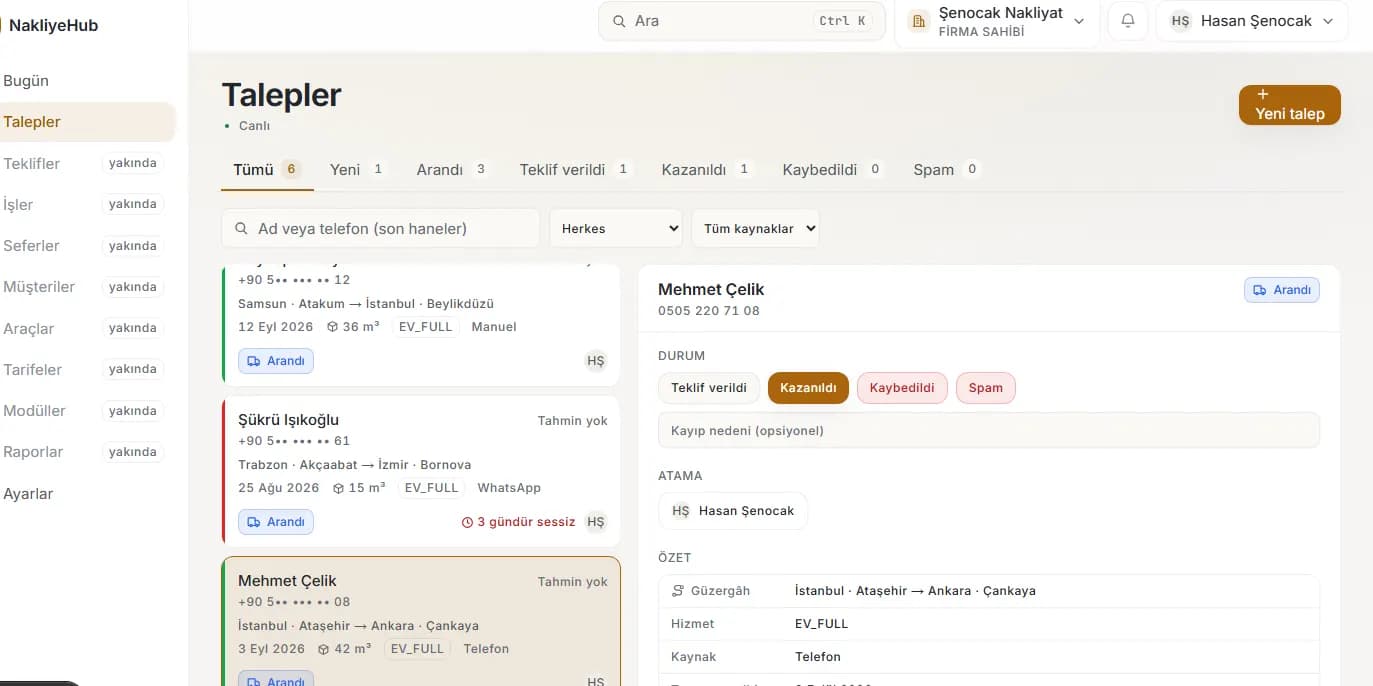
Leads screen: request list on the left, detail of the selected request on the right

Quotes

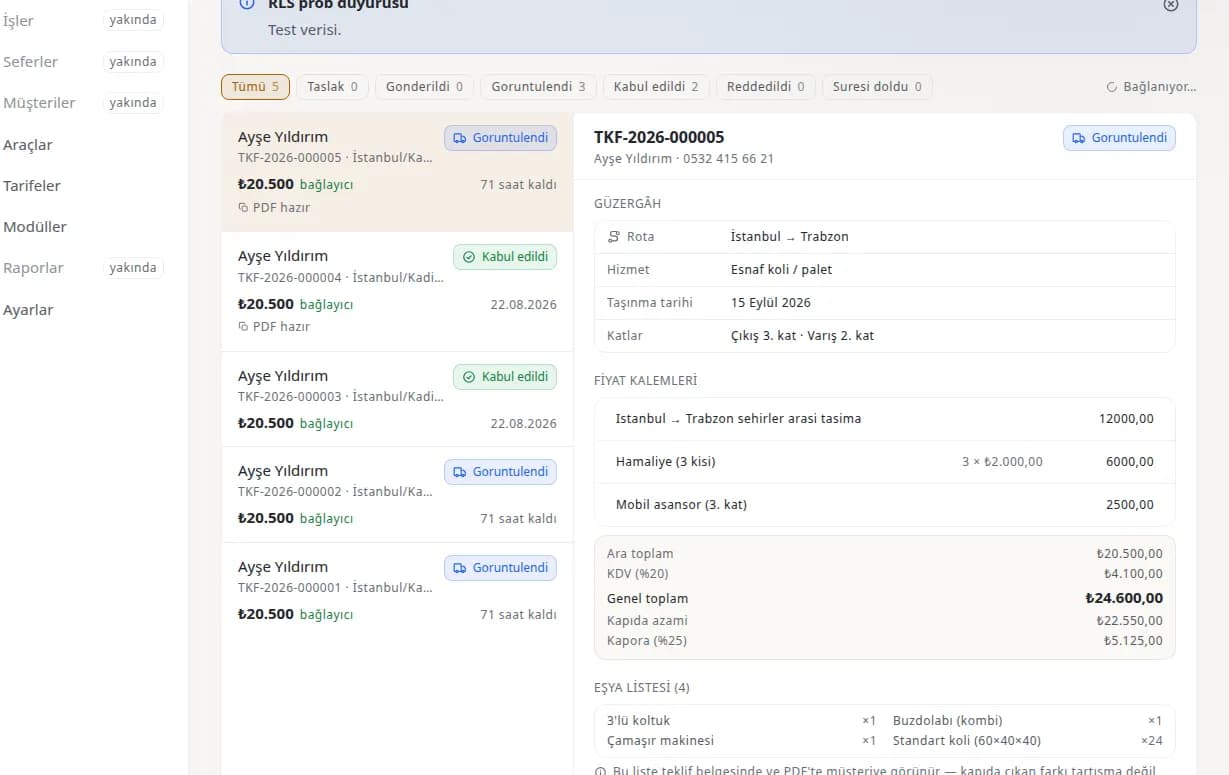
One click turns a lead into a quote with line items prefilled from your tariff. Once sent, the customer opens their own link and accepts it there.

  • Quote numbers run without gaps; a cancelled number is never reused.
  • The PDF is produced from the same page — the same document by e-mail, on WhatsApp or in person.
  • Acceptance is taken with SMS verification and a timestamped record, so “I never accepted” cannot happen.
Quote editor: line items, amount breakdown and delivery status

Jobs and proof of delivery

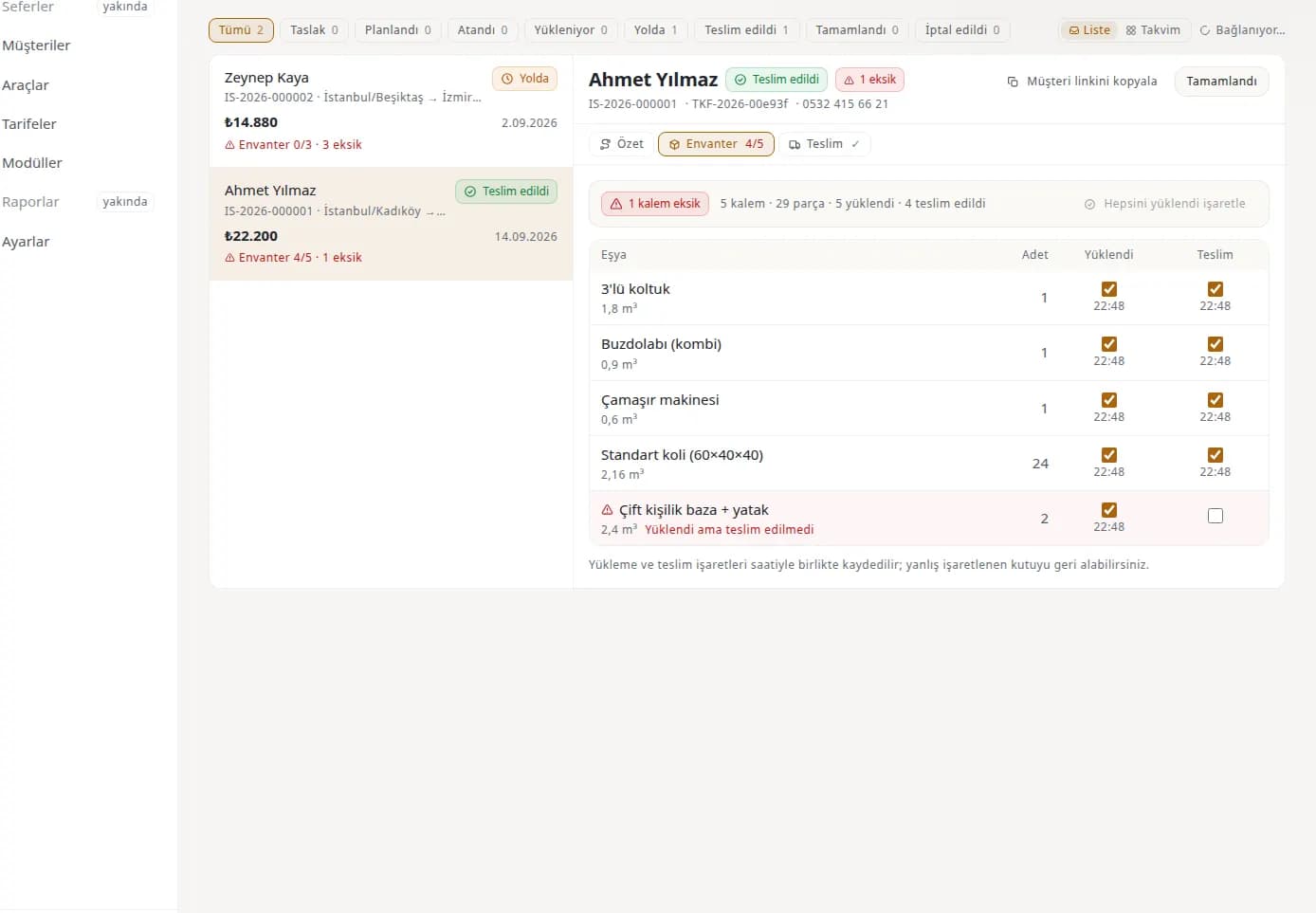
An accepted quote becomes a job. Inventory, the double check at loading and delivery, and the proof of delivery all live on the job card.

  • Item inventory: counted piece by piece, ticked separately at loading and delivery, with a warning for anything missing.
  • Proof of delivery: recipient name, signature, photos and an automatic timestamp.
  • The customer card holds the whole history on a timeline — from lead to delivery.
Job detail: item inventory and the loading/delivery double-check list

Trips and corridors

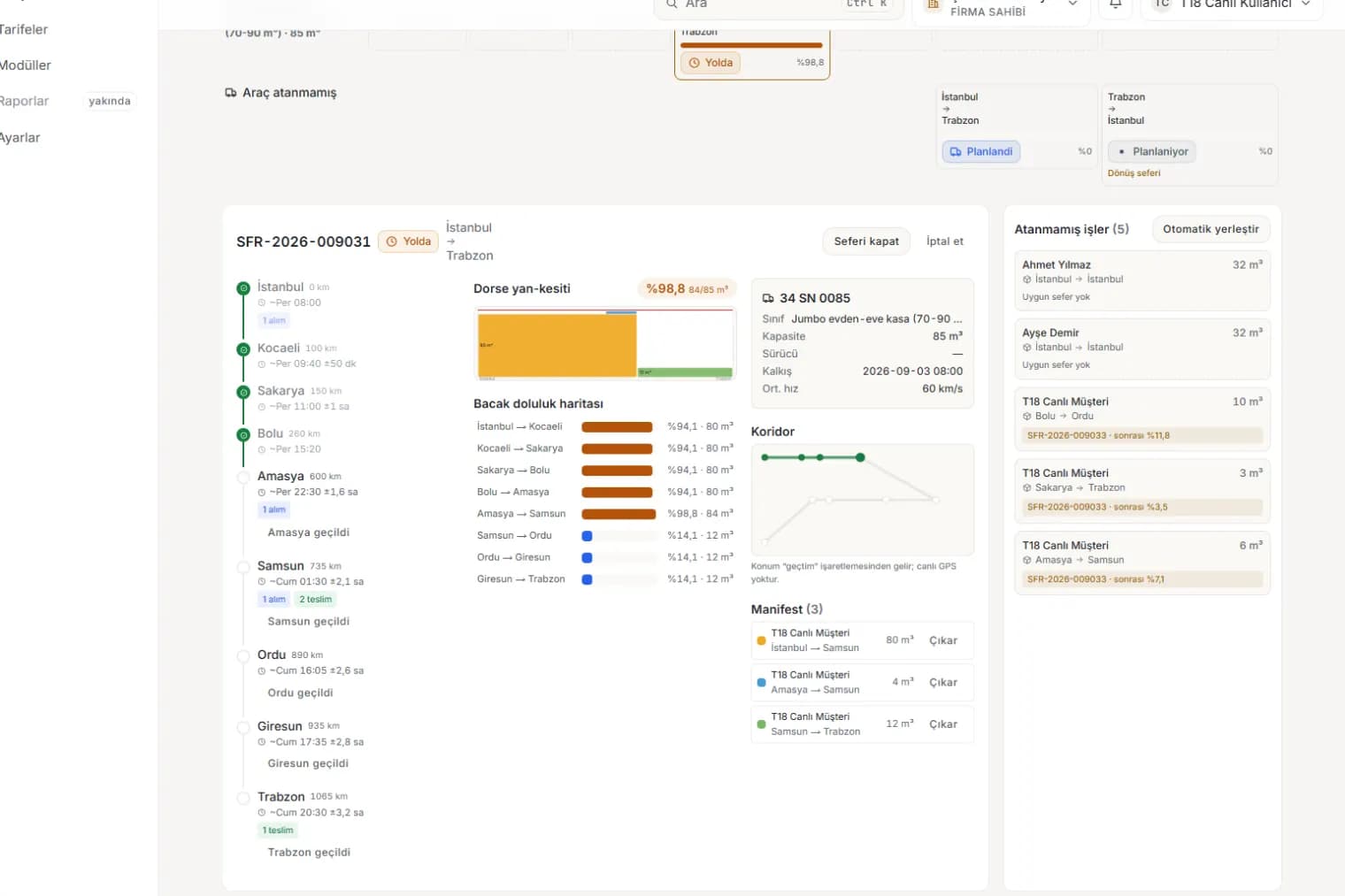
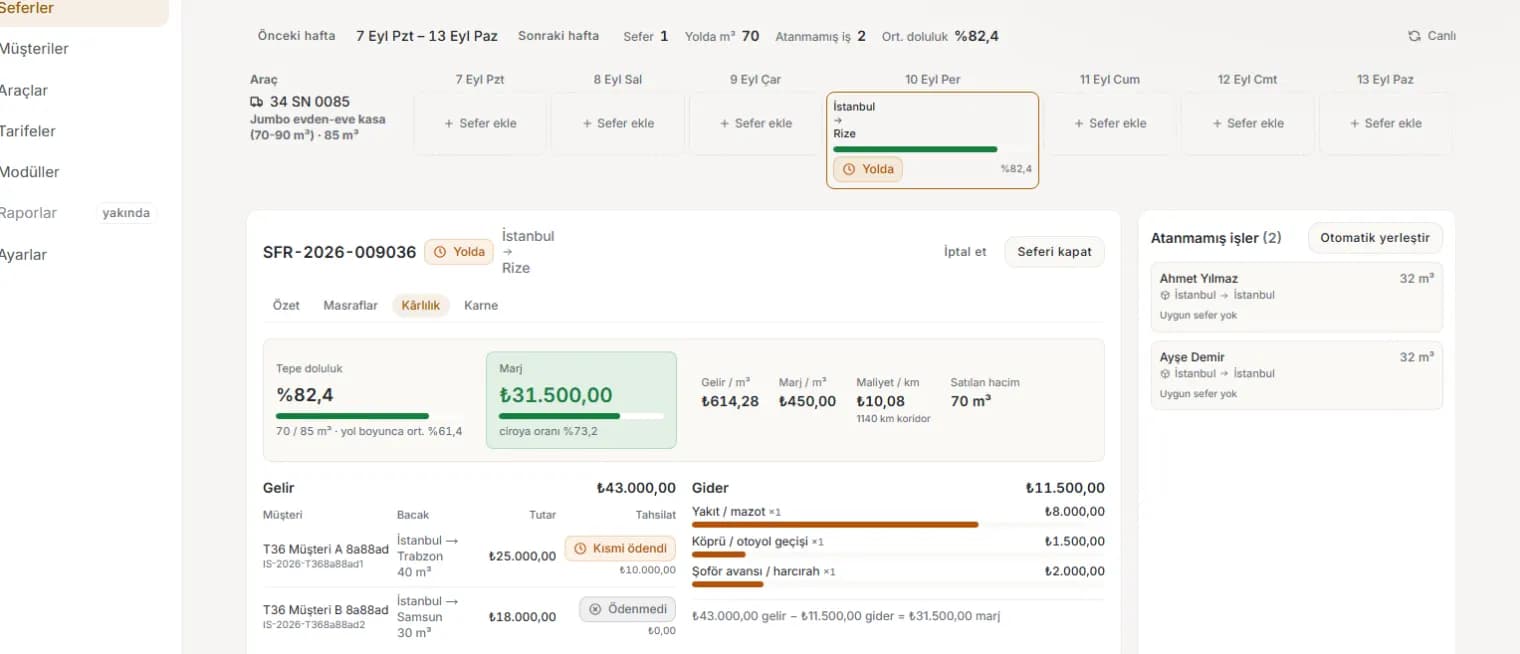
Drag and drop on a weekly grid; the corridor timeline and the leg occupancy map are the product’s signature.

  • Occupancy per leg: each stop-to-stop stretch is counted separately and over-capacity is flagged before loading.
  • Intermediate ETAs account for rest rules and are always written as a window.
  • Manifest and trip profitability on the same screen: revenue from assigned jobs, cost from expenses.
Trip detail: stop timeline, leg occupancy map and manifest

Collections and ledger

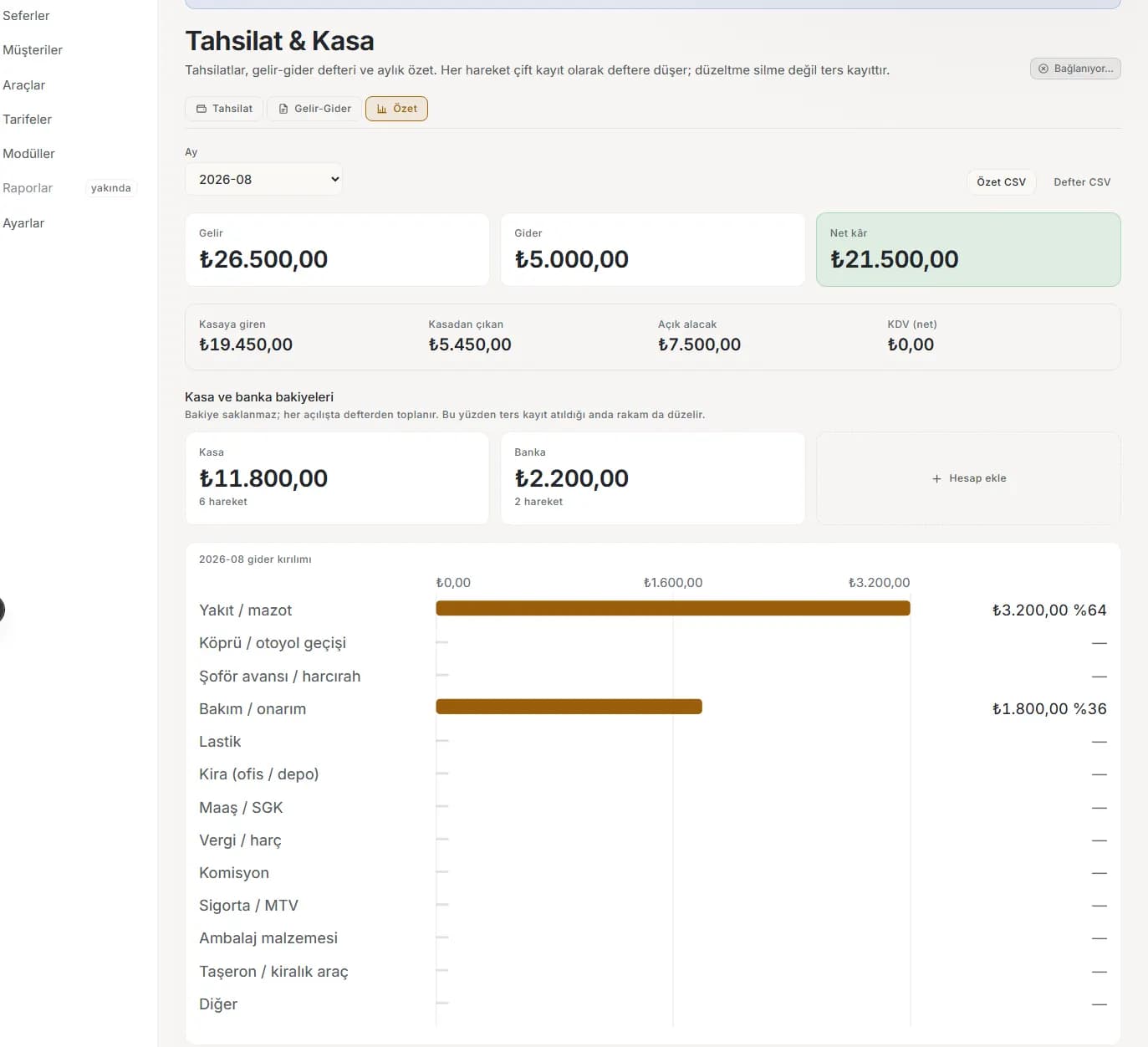
Deposit, partial payment, balance; cash, transfer or in person. Every movement is written into an append-only ledger and never deleted.

  • Income–expense ledger with fuel, maintenance, rent, salary, tax and commission categories.
  • Cash and bank kept apart; monthly summary, net profit and category breakdown ready to read.
  • Customer account statements and deposit receipts as PDF in one click.
Collections and cash screen: monthly income–expense summary and category breakdown

Analytics

Lane profitability, occupancy trends, the conversion funnel and estimate-versus-actual drift — from history, not forecast.

  • Historical occupancy and profitability by lane: which lane actually earns?
  • Estimate versus actual: how well does your tariff match the yard?
  • Seasonal patterns on a month/week heat map, with CSV export in every view.
Trip profitability screen: revenue, cost and margin breakdown

WhatsApp

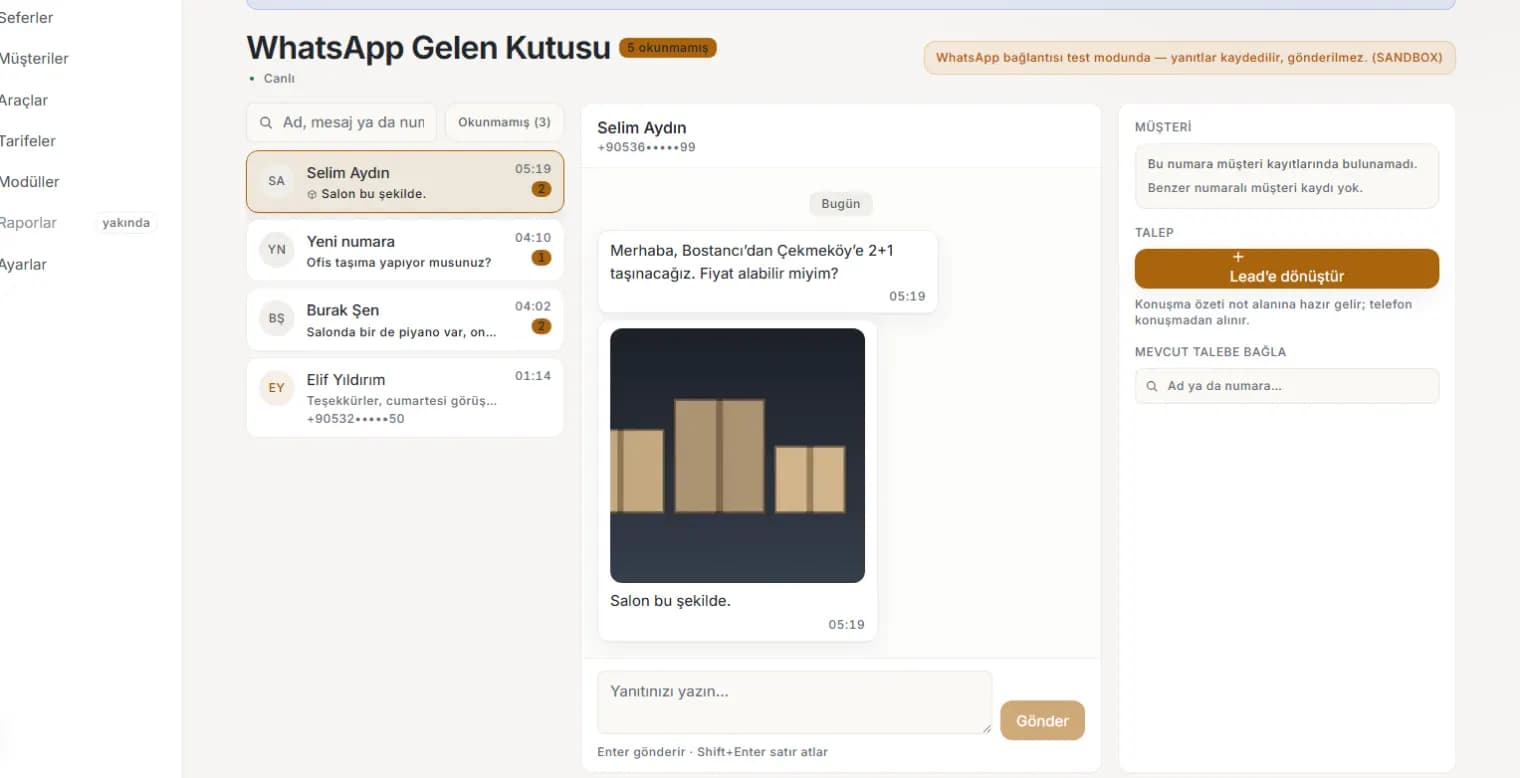
Incoming messages land in an inbox inside the panel and a conversation becomes a lead in one click. Notifications go out the same way.

  • Conversation list, unread counter and live updates.
  • Attach a conversation to an existing customer so the history merges into one card.
  • Two ways to connect: pair your own number by QR, or use the official Cloud API.
WhatsApp inbox: conversation list, message thread and customer matching

Voice assistant and chatbot

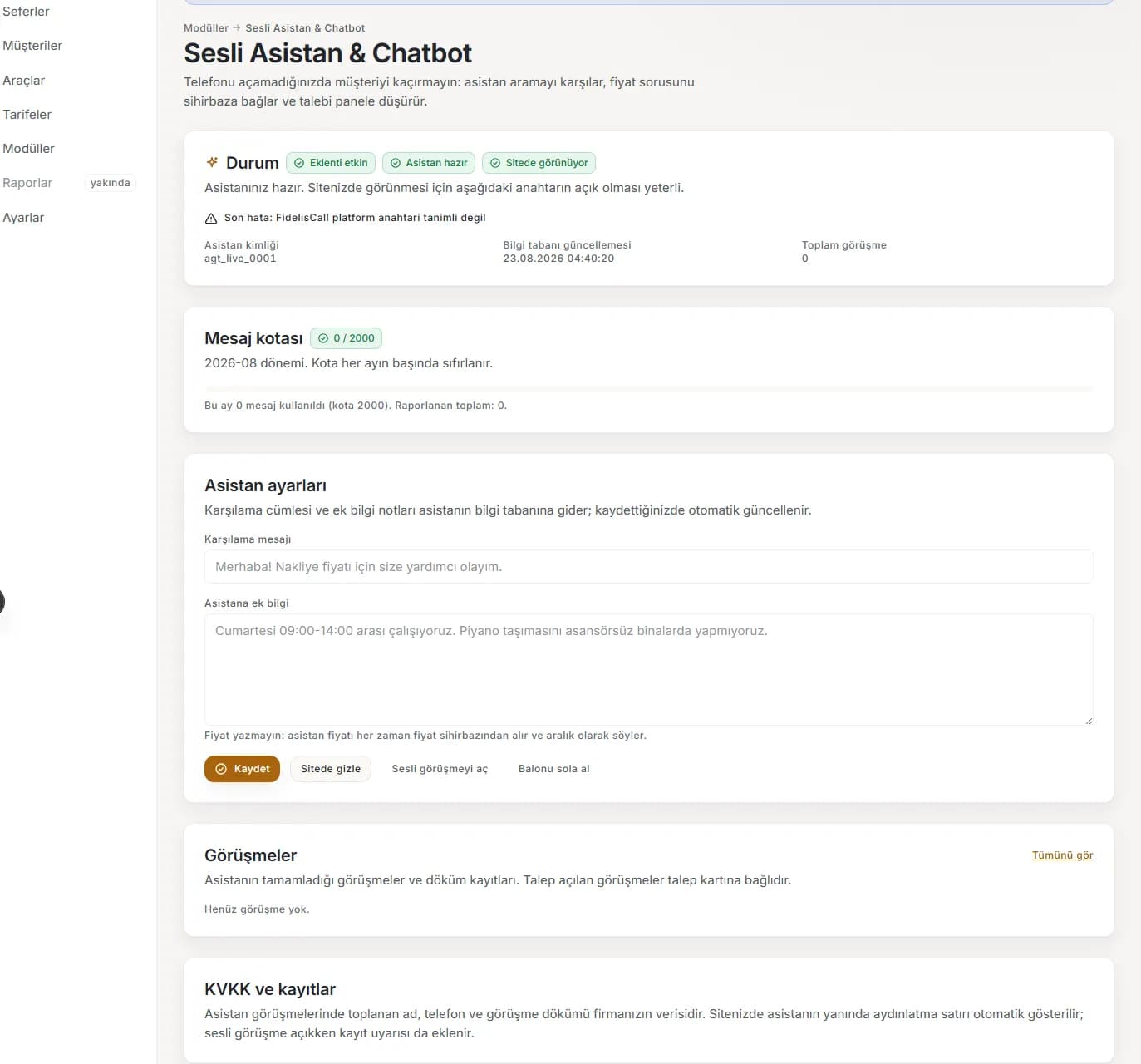
Do not lose the customer when you cannot pick up. The assistant answers, walks the caller through the wizard and drops the request into your panel.

  • The knowledge base is fed from your own services, routes and tariffs.
  • The transcript stays on the lead card, so you can read what was said.
  • It also embeds on your site as a chat bubble, with the message quota visible in the panel.
Assistant settings screen: status, message quota and greeting message

See all of it with your own data.

Every module is open on a trial account. Enter your own tariff and produce your first quote.